Docker Desktop
~/Library/Containers/com.docker.docker/DataContainer data; last reviewed 3 years ago
review first
For software engineers & vibe coders
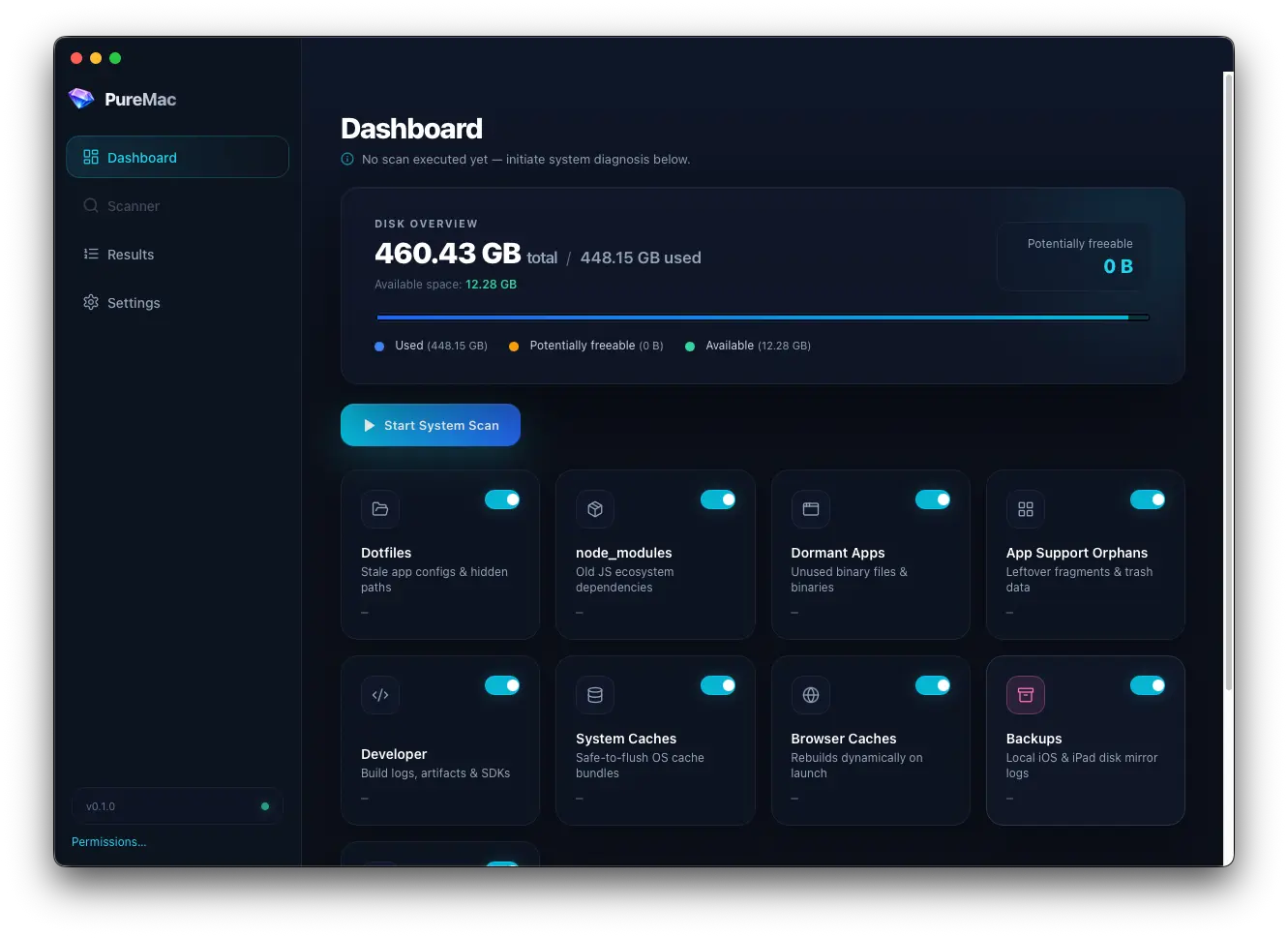
One scan on a real dev Mac found 23.94 GB across 124 node_modules folders — plus Docker, package-manager caches, and leftover app support. Scan for free, review every path locally, and unlock deletion with a one-time purchase.
Scanning is free. Deletion requires a one-time $9 purchase. · No subscription · No account
No macOS build is bundled yet. Check back soon for the latest DMG.
// 01 — usual suspects
Actual scan results — Docker at 60 GB, Claude app support at 21 GB, Yarn and npm caches in the teens. PureMac is built around paths like these, not generic “system junk” lists.
Docker Desktop
~/Library/Containers/com.docker.docker/DataContainer data; last reviewed 3 years ago
review firstnode_modules
~/Projects/**/node_modules124 folders; most untouched for months
review firstClaude
~/Library/Application Support/ClaudeLeftover app support with no obvious associated app
recommendedYarn cache
~/Library/Caches/YarnUser cache folder — macOS and apps recreate as needed
safe to removenpm
~/.npmNo related installed app found; last used 2 years ago
recommendedXcode
/Applications/Xcode.appNo last-used metadata — review before removing
review firstUser cache
~/.cacheMixed dev caches; last touched 5 hours ago
recommendedThe node_modules epidemic
124 folders, most untouched for months. Scan free — unlock deletion for $9.
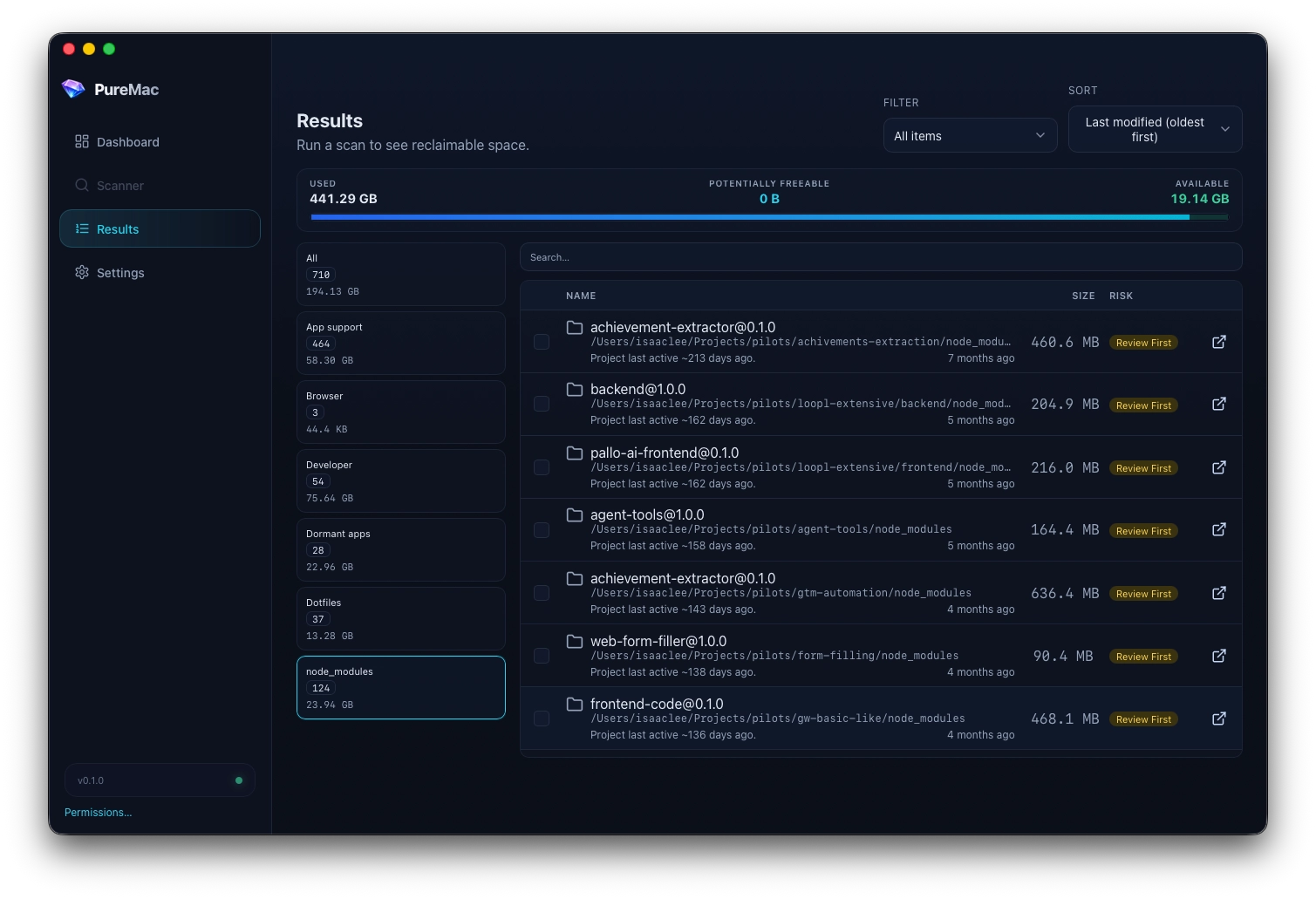
Real scan from a dev Mac
// 02 — built for your stack
PureMac categories map to how engineers actually fill a disk — prototypes, dependencies, toolchains, and the caches that survive every framework phase.
Find every install tree under your home folder — including the repos you cloned once and never opened again.
find ~ -name node_modules -prunenpm, pnpm, yarn, pip, and Homebrew caches add up quietly. Surface them with size totals before you nuke.
~/.npm · ~/.pnpm-store · ~/Library/Caches/Homebrew.next, dist, build, target, and DerivedData folders from projects at every stage of existence.
.next/cache · DerivedData · target/debugDisk bar, category breakdown, and toggles for what the next scan should include — tuned for maintenance sessions.
dashboard.scan({ categories: [...] })Each item gets a hint: usually safe cache, review first, or leave alone. Scan for free; unlock Trash and permanent delete with a one-time purchase.
risk: review_first | usually_safeSee it in action
PureMac surfaces the real offenders from an actual dev Mac — Docker at 60 GB, Yarn and npm caches in the teens, orphaned app support, and the Xcode install you keep meaning to audit.
$ puremac scan --home ~/ --categories dev,caches,large
// 03 — workflow
Built for the Sunday reset before you clone another repo or spin up a new Docker stack.
Open the dashboard, see used vs free space, and pick categories — node_modules, dev caches, dotfiles, large files.
Rust backend walks your home folder with live progress. Go grab coffee; your disk won't.
Sort by size, filter by category, reveal in Finder. That 6 GB .next folder from March? Yeah, that's the one.
Unlock deletion with a one-time $9 purchase, then select what to remove and move to Trash. No silent nukes, no cloud upload of your file tree.
Ready when you are
Download the DMG and see what's actually filling your disk.
// pricing
No subscription, no account. Download, scan your disk, and unlock deletion when you're ready.
See what's eating your disk
$0
Actually reclaim the space
$9
one-time
Scanning is free. Deletion requires a one-time $9 purchase.